
Run the business from the van, not the desk
The Floxa app puts today's visits, every job, your hours and your invoices on your phone. It's the same account and the same data as Floxa on the web, with big buttons and high-contrast screens you can read outside.
Coming soon to the App Store and Google Play. You'll sign in with your Floxa login.
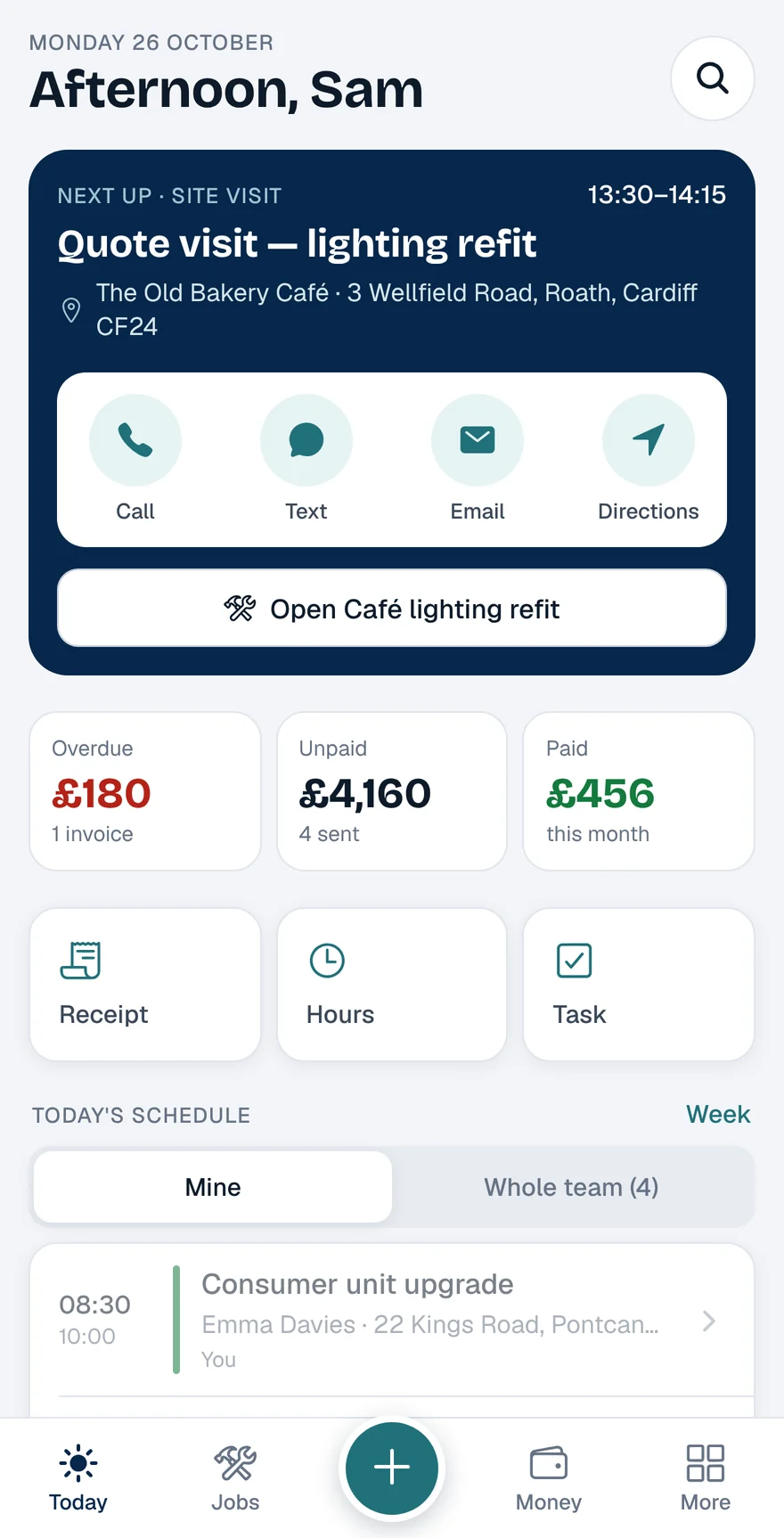
The app in 30 seconds
Every screen in the tour is the real app, filled in for a demo business: Carter Electrical in Cardiff.
A Monday with the app
Sam runs Carter Electrical, our demo firm. Here's where the app comes out of the pocket on a normal day.
07:45
Before the first job
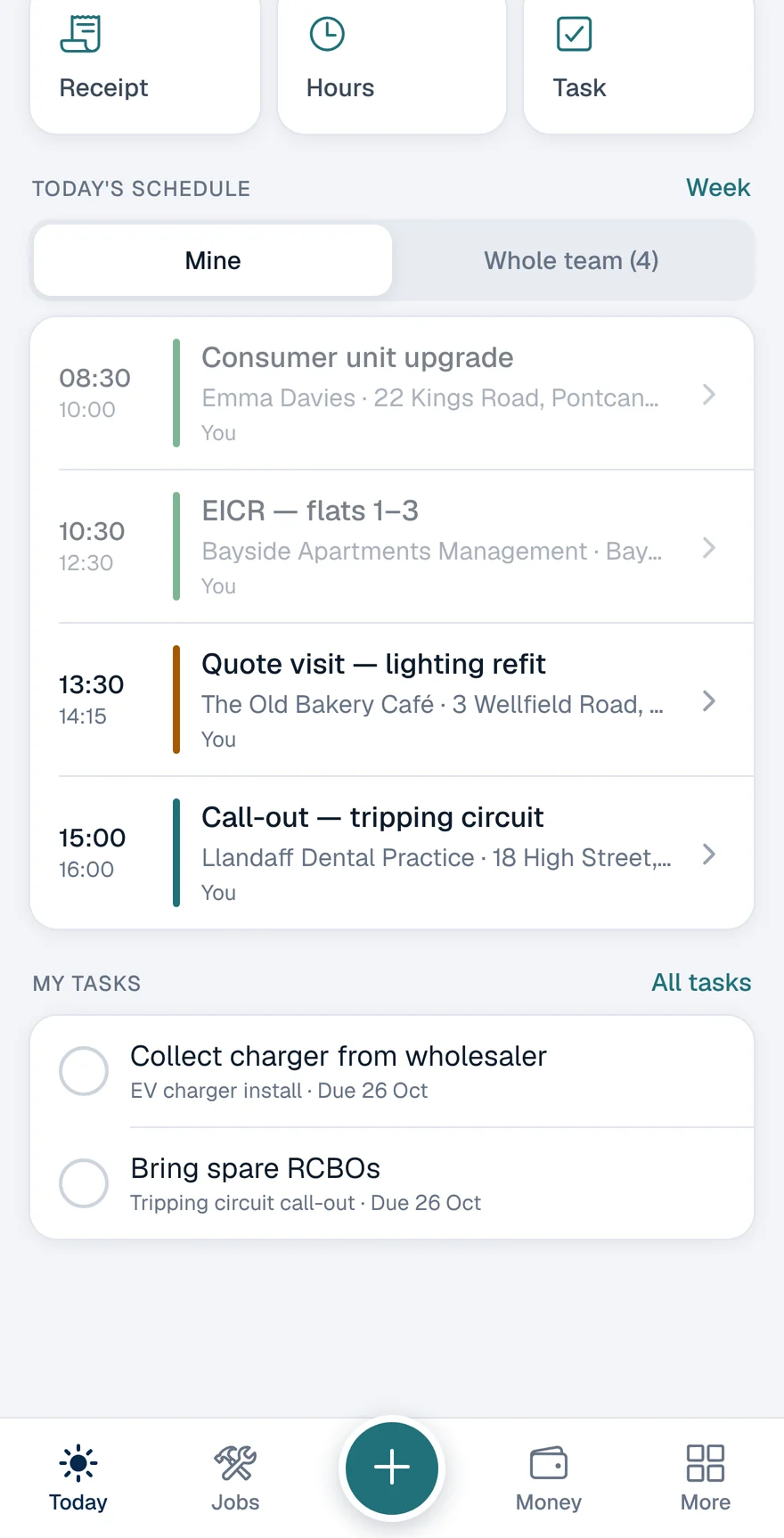
Open the app and the day is laid out: the next visit with buttons to call, text or get directions, what you're owed, then today's visits and the tasks that are due.
- Next visit with call, text, email and directions
- Overdue, unpaid and paid this month
- Your schedule, or the whole team's
- Tasks due today, ticked off with one tap
08:30
On site
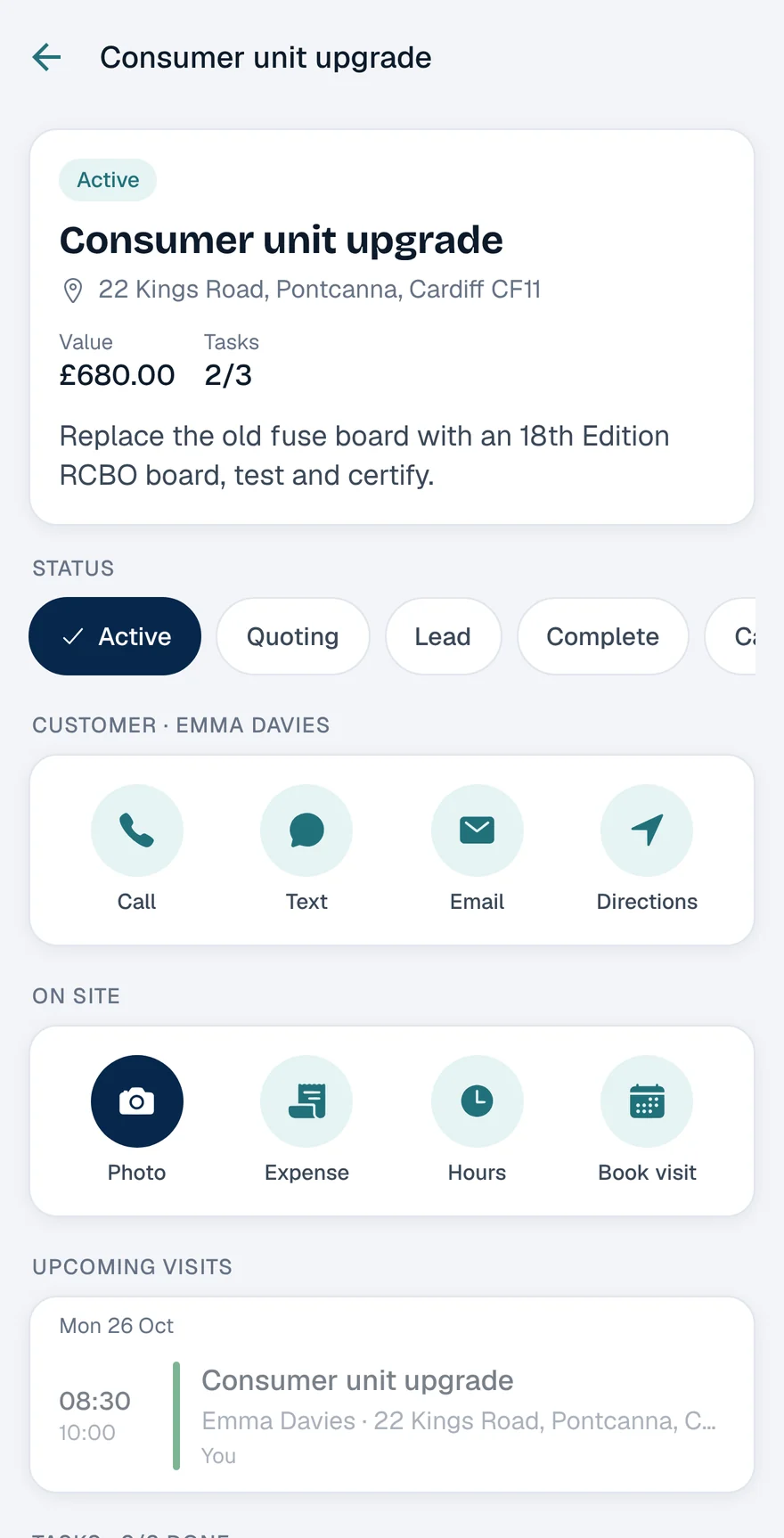
Each job keeps the customer, address, tasks, notes, photos and expenses together, so the details are with you at the door rather than back at the office.
- Change the job's status as it moves along
- Tick off tasks and add new ones
- Before-and-after photos the whole team can see
- Notes and history in one place
12:15
Lunch in the van
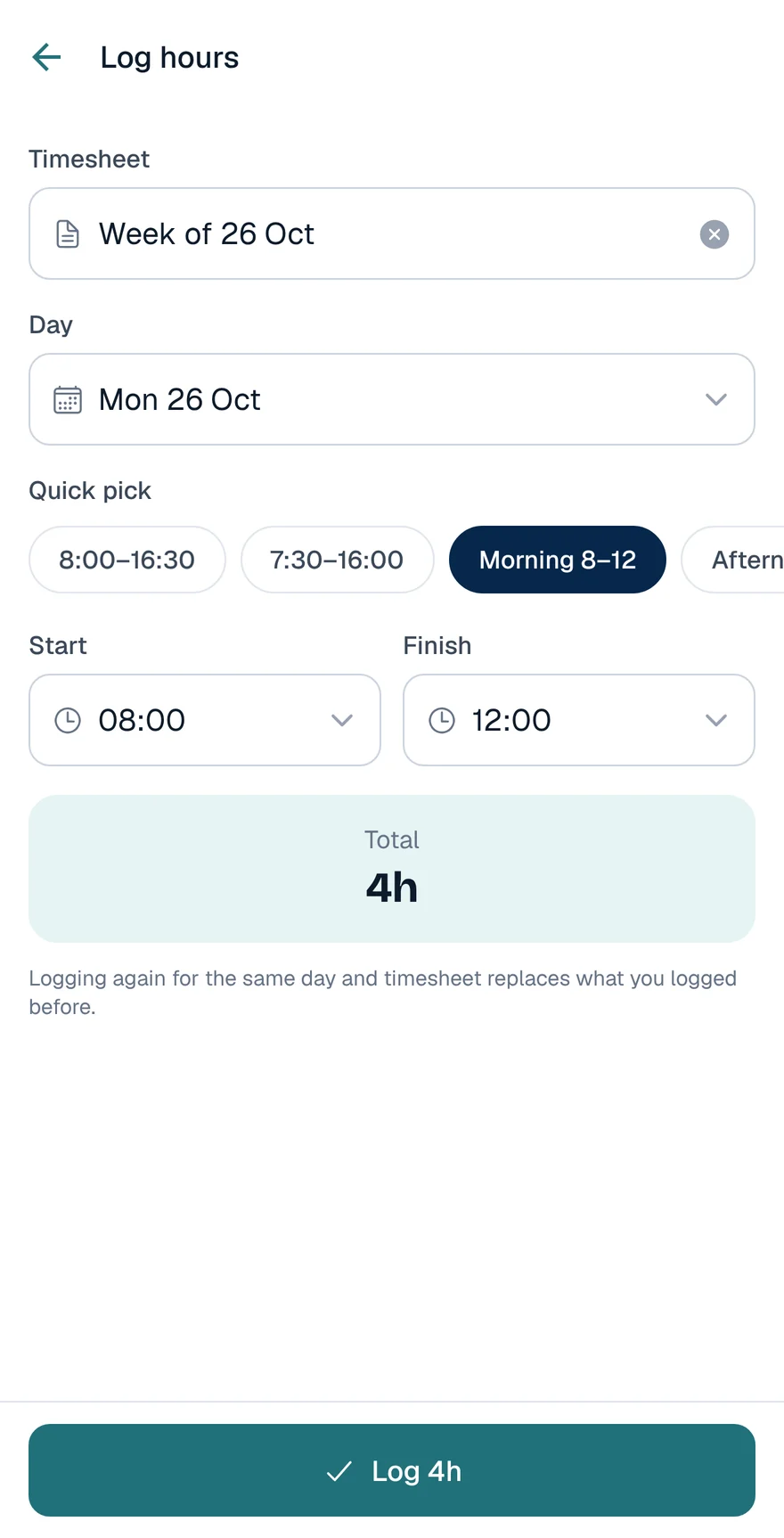
The middle button logs whatever just happened. Snap a receipt, put in your hours with a preset, add a task or book the next visit, then get back to work.
- Receipts: photo first, then the amount
- Hours with presets like 8:00 to 16:30
- Tasks, visits, jobs and new customers
16:00
Before you leave the drive
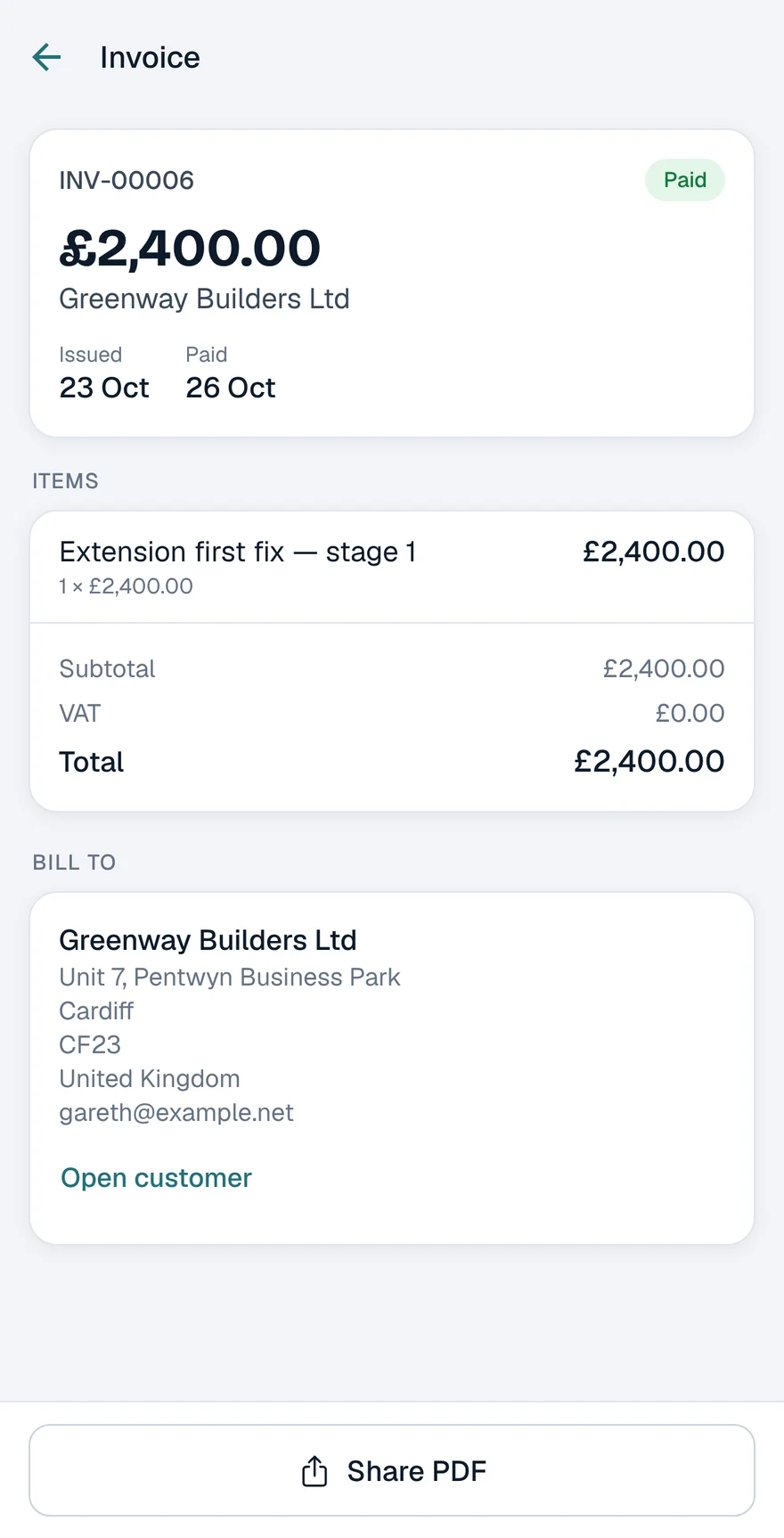
Raise a quick invoice for the customer you're stood with and send it there and then. When the money lands, mark it paid. Your company and bank details come from your Floxa settings.
- Quick invoices with line items
- Send by email or share the PDF
- Mark it paid when the money lands
Friday
Planning next week
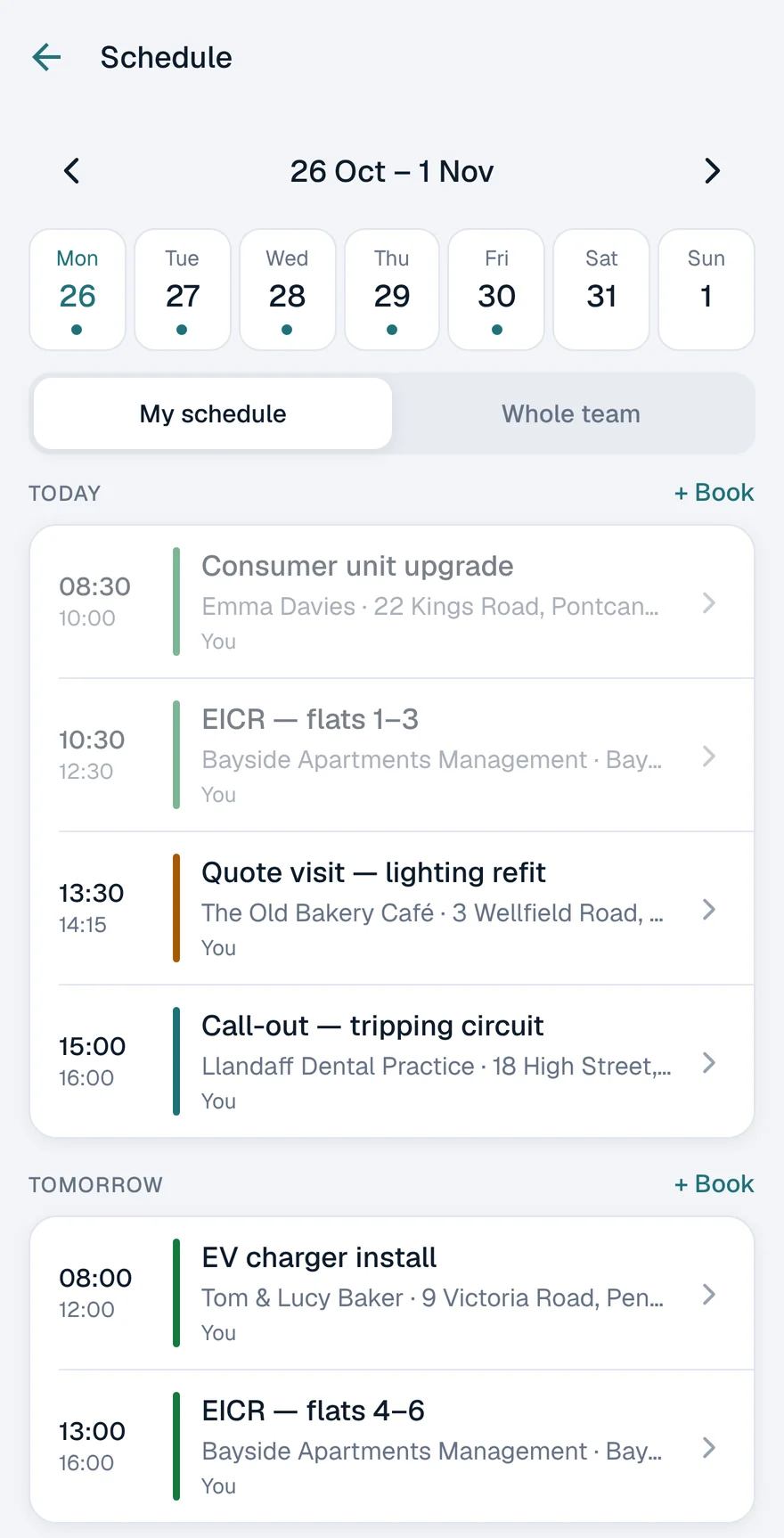
Flip through the week to see your own visits or the whole team's, and book new ones where there's a gap.
- Week view with every visit
- Mine or the whole team
- Book a visit on any day
Good to know
- Same login, same data
- Sign in with your Floxa account. Anything you change on your phone is on the web straight away, and the other way round.
- Your team, your rules
- Everyone you've added to Floxa can use the app, and each person only sees what their role allows.
- Locked when you want it
- Sign-in uses the same two-step check as the web. You can also lock the app with Face ID or your fingerprint.
- Needs a signal to save
- Changes save straight to your account, so the app needs a connection. If a save doesn't go through, it tells you and you can try again.
- Works with any plan
- There's no extra charge for the app. Plans and billing are managed on the website.
Questions
Is the Floxa app on iPhone and Android?
It's coming soon to the App Store and Google Play. Create your Floxa account now and you'll be able to sign in on your phone the day it's out.
Can I sign up in the app?
Accounts are set up on the Floxa website. Once you have one, sign in on your phone with the same email and password.
Can my whole team use it?
Yes. Anyone you've added to your Floxa organisation can sign in, and they'll see what their role allows, using the permissions you've already set.
Does it work without signal?
The app needs a connection to load and save. If the signal drops and a save fails, you'll see a message and can try again once you're back in range.
What can I do in the app?
See today's visits and the week ahead, run jobs with tasks, notes and photos, log hours and receipts, raise and send quick invoices, mark them paid, and look up customers. Set-up and reporting stay on the web.
Get set up before the app lands
Create your account on the web now. The app signs in with the same email and password.